












-
 Original High-Quality Product
 -
One all-inclusive price. No hidden fees
-
Immediate download
-
Free updates for new versions
-
Unlimited Activations
-
24/7 free premium Support
-
7-day money-back guarantee


Scalping Robot EA – XAUUSD M1 Gold Scalper for MT4 and MT5
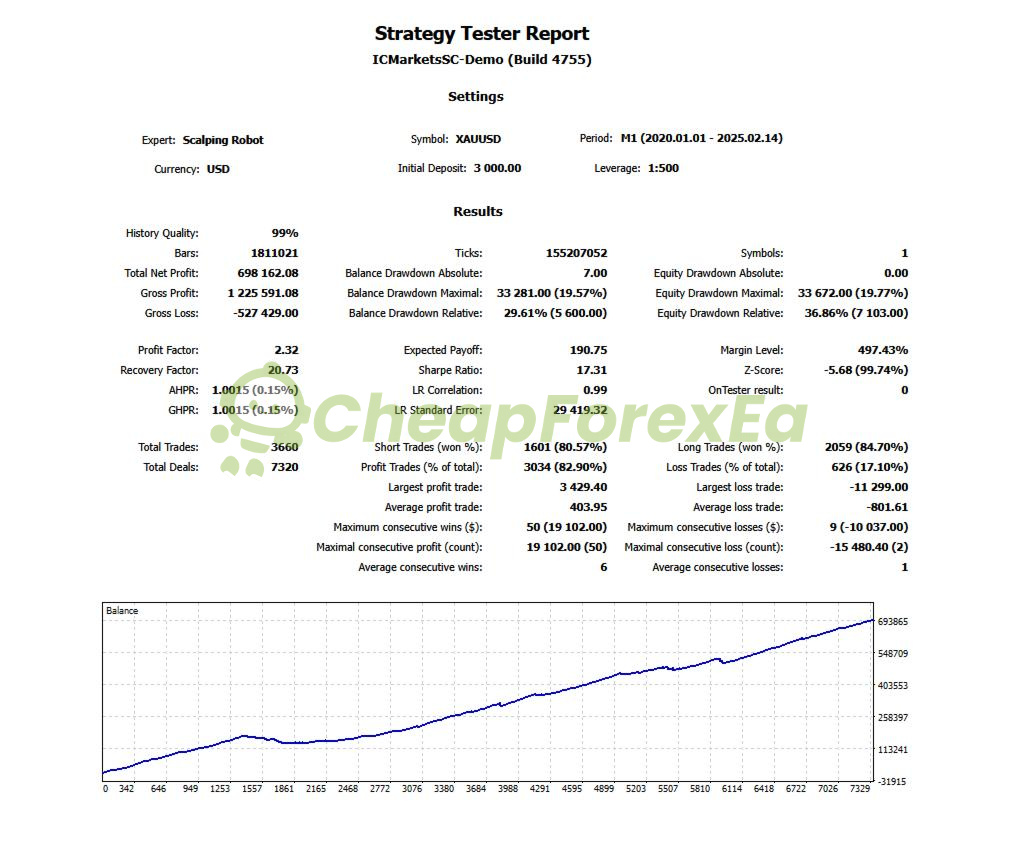
Scalping Robot EA is an M1 gold scalping robot developed by Marzena Maria Szmit / MQL TOOLS SL under the MQL BLUE brand, available for both MetaTrader 4 and MetaTrader 5, with XAUUSD as its primary instrument. The strongest available evidence is a 99% modeling quality Strategy Tester report covering January 2020 through February 2025, showing a profit factor of 2.32 and an 82.90% win rate across 3,660 trades. If you are evaluating this EA for MT4 or MT5 deployment, start with demo validation before committing live capital.
Key Highlights
- ✅ Targets XAUUSD on M1 — official documentation covers both MT4 and MT5
- ✅ Configurable daily profit protection, MaxDD protection, and news filter active by default
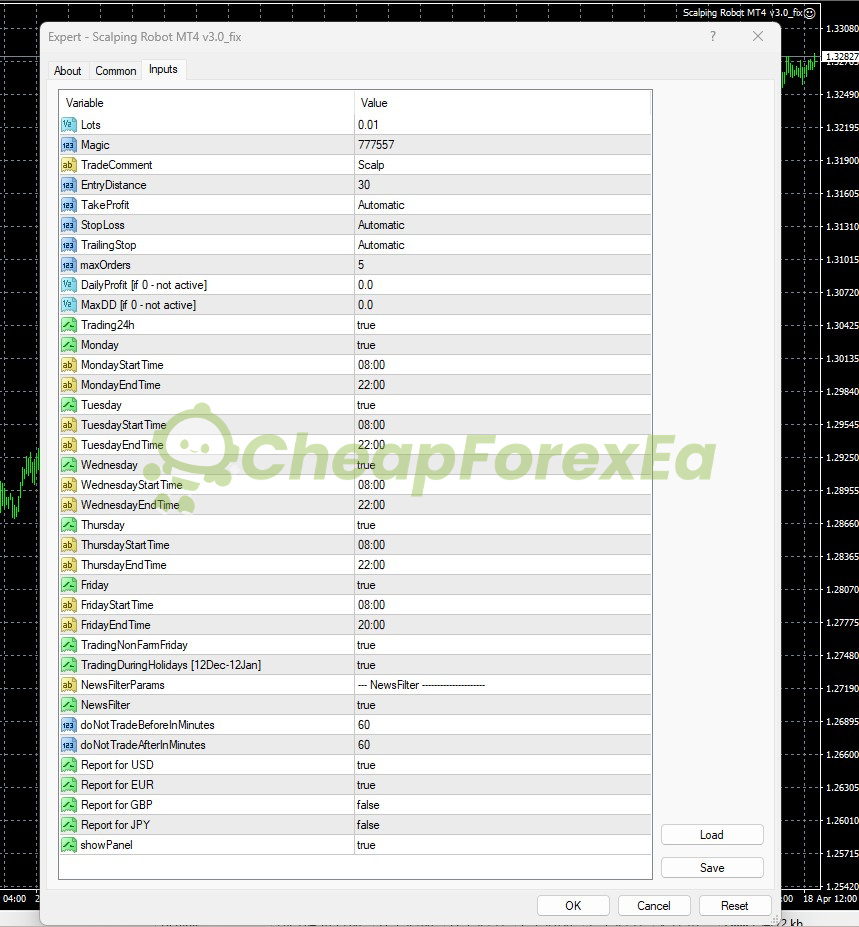
- ✅ Adjustable stop loss, take profit, trailing stop, and max open orders (default: 5)
- ✅ Compatible with Hedging, Netting, Zero, Cent, Micro, Standard, Premium, and ECN account types
- ✅ Grid and martingale status is not clearly confirmed by the official source — validate position-stacking behavior in demo before live use
Performance Results
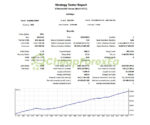
The primary available evidence is a 99% modeling quality Strategy Tester report on XAUUSD, M1 timeframe, running from January 2020 through February 2025, starting with a $3,000 deposit at 1:500 leverage. Across 3,660 trades, the backtest recorded a profit factor of 2.32, an 82.90% win rate, a maximum balance drawdown of 19.57% ($33,281), and an equity drawdown maximal of 19.77%. Total net profit reached $698,162.08. These figures come from a simulation — real-world spread variation, slippage, and broker execution will affect results differently.
Two publicly accessible Myfxbook pages exist (labeled Scalping Robot and Scalping Robot v5), but both are demo accounts with stale negative metrics and do not support live performance claims. Public live verification is not included on this page at this time. The proof shown here should be treated as backtest evidence, not public live verification.
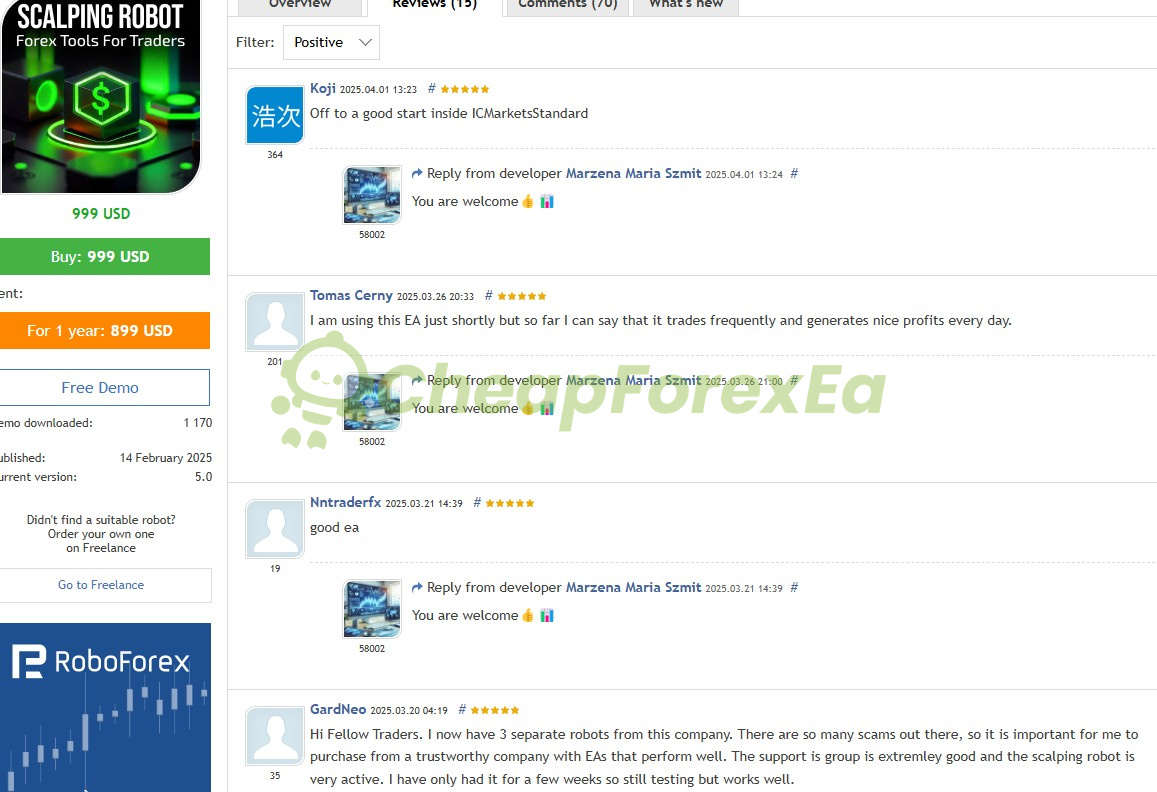
Early-stage buyer reviews on the MQL5 marketplace include at least one trader reporting initial use on an IC Markets Standard account. These are short-duration and provide context about early deployment experience only, not verified performance evidence.
The backtest drawdown of 19.57% is a simulated figure. On a live account with spread variation, news spikes, and real execution latency, drawdown could exceed that level. Size lots conservatively, activate the MaxDD parameter before going live, and test on a low-spread ECN broker before risking capital. We recommend demo validation of 60–90 days before live deployment.
How It Works
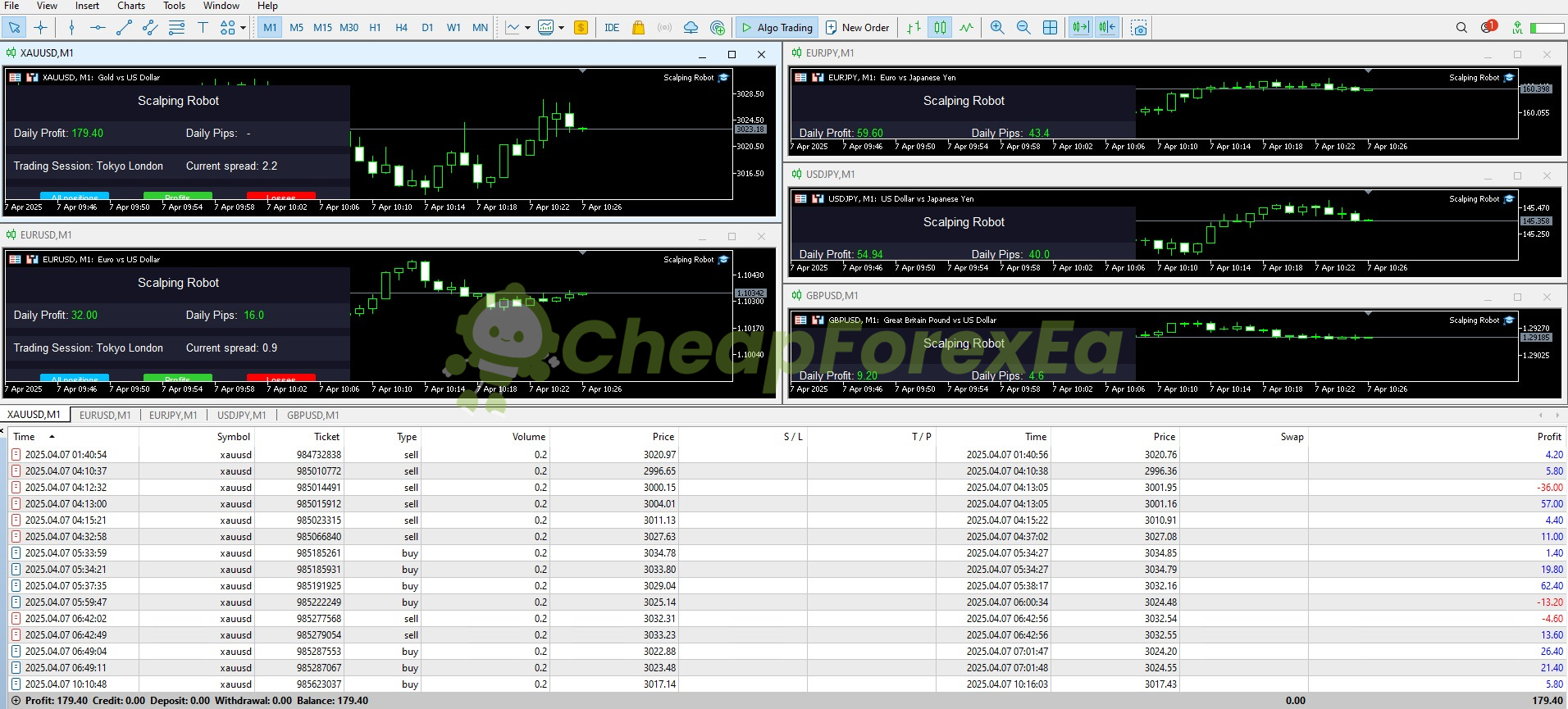
Strategy: M1 gold scalping targeting short-term price movement and momentum shifts on XAUUSD. Official documentation focuses on XAUUSD; reseller pages describe additional pairs (EURUSD, GBPUSD, USDJPY, EURJPY) for the MT4 version, but these are not documented on the official product page.
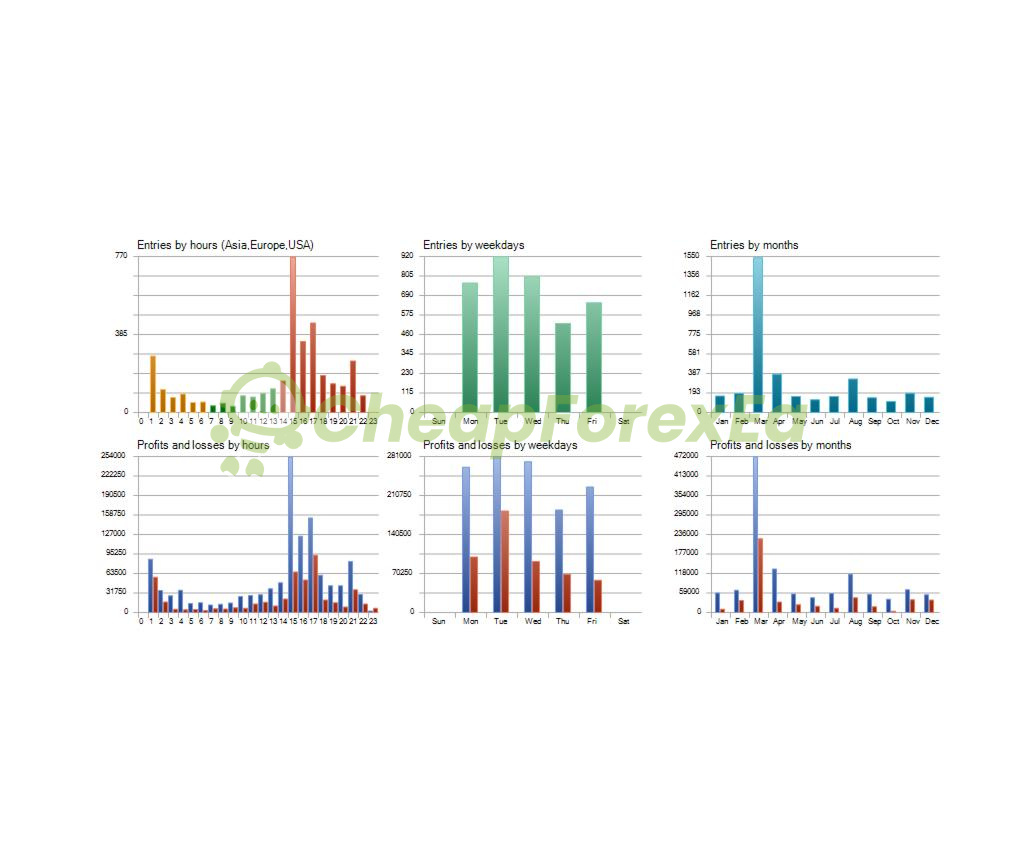
Entry: Entry distance is configurable (default: 30). The EA monitors short-term price behavior and momentum; exact indicator logic is not specified in the available materials. Trading activity concentrates during European and US session overlap hours (14:00–17:00 server time).
Exit: Take profit, stop loss, and trailing stop are all set to Automatic by default. The largest single losing trade in the backtest reached $11,299, indicating the automatic stop loss did not cap all losses at a fixed level — validate exit behavior in demo before live use.
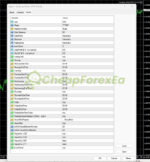
Risk Control: Default lot size is 0.01. Maximum open orders is 5. Daily profit protection and MaxDD protection both default to 0 (inactive) — activate these before live trading. The news filter is active by default with a 60-minute buffer before and after high-impact USD and EUR news events. Whether the EA stacks positions in a grid pattern is not clearly confirmed by the official source; confirm position-stacking behavior during demo testing.
✅ Best conditions: Low-spread ECN/STP broker on XAUUSD • European/US session overlap • MaxDD and DailyProfit parameters set to active values before live use.
⚠️ Caution: Wide-spread brokers during news releases • Default settings with MaxDD and DailyProfit left at 0 on live accounts.
Technical Specifications
| Specification | Detail |
|---|---|
| Platform | MetaTrader 4 and MetaTrader 5 |
| Currency Pair | XAUUSD (official); EURUSD, GBPUSD, USDJPY, EURJPY noted on reseller pages for MT4 version |
| Timeframe | M1 (required) |
| Minimum Deposit | $1,000 |
| Leverage | 1:20 to 1:1000 |
| Broker Type | Hedging, Netting, Zero, Cent, Micro, Standard, Premium, or ECN; low-spread ECN/STP preferred |
| Default Lot Size | 0.01 |
| Max Open Orders | 5 (default) |
| VPS | Recommended for stable M1 execution |
Who Should Use This EA
✅ Ideal for:
- Traders focused on gold (XAUUSD) who want an automated M1 scalper with configurable daily protection and news filtering
- MT4 or MT5 users with a $1,000+ account who can run demo testing for at least 60–90 days before committing live capital
- Traders prepared to activate the MaxDD and DailyProfit parameters and monitor early live performance closely
✅ Best results when:
- Running on a low-spread ECN broker where XAUUSD spread stays near or below 2.2 during active session hours
- MaxDD protection and DailyProfit limits are set to active values, not left at the default of 0
- A VPS is used to eliminate connection latency on M1
⚠️ Not ideal for: Traders expecting immediate live deployment without demo validation, or those needing fully confirmed grid/martingale disclosure before use.
Download Package Included
- ✅ Experts:
- Scalping Robot EA (.ex4 for MT4)
- ✅ Presets:
- low risk.set
Product download link is sent immediately via email after purchase.
Does Scalping Robot EA have verified live real-money results?
Is this the official Scalping Robot Pro or a reseller version?
Does this EA use grid or martingale logic?
Which platform, pair, and timeframe should I use?
What account size do I need to run this EA?
What are the main risks and how should I manage them?
What broker and spread conditions does this EA require?
What support do I get after purchase?

You might also like:

Jog Trader EA V12 MT4 + Setfiles | Original & Unlimited
In stock

Correlation EA AI 2024 MT4 with Setfiles | Unlimited – Original
In stock

Reactor Scalper EA v1.0 MT4 | Gold Trading – Unlimited
In stock

Fast Scalping EA MT4 with Setfiles (ultra low risk)
In stock

Black Wolf EA MT4 & MT5 (original ultra profit)
In stock

VR Smart Grid EA V18.043 MT4 with setfiles
In stock
Reviews
Clear filtersThere are no reviews yet.