












-
 Original High-Quality Product
 -
One all-inclusive price. No hidden fees
-
Immediate download
-
Free updates for new versions
-
Unlimited Activations
-
24/7 free premium Support
-
7-day money-back guarantee


Neurotron EA – MT4 London Session Reversal EA for GBPUSD and EURCHF
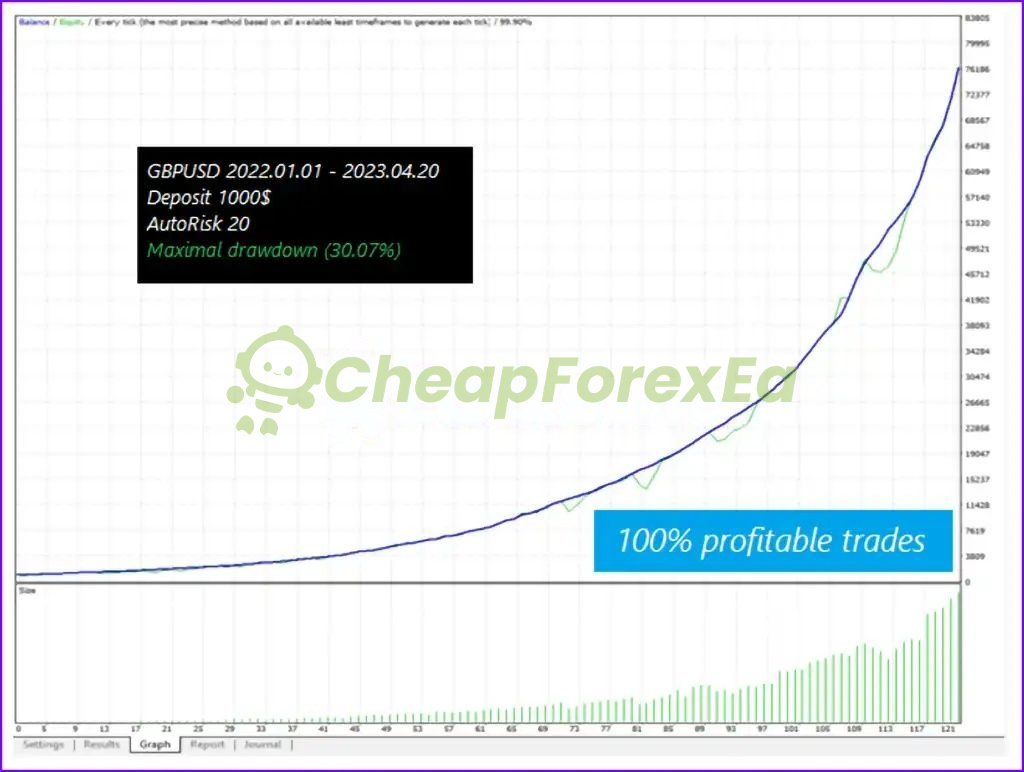
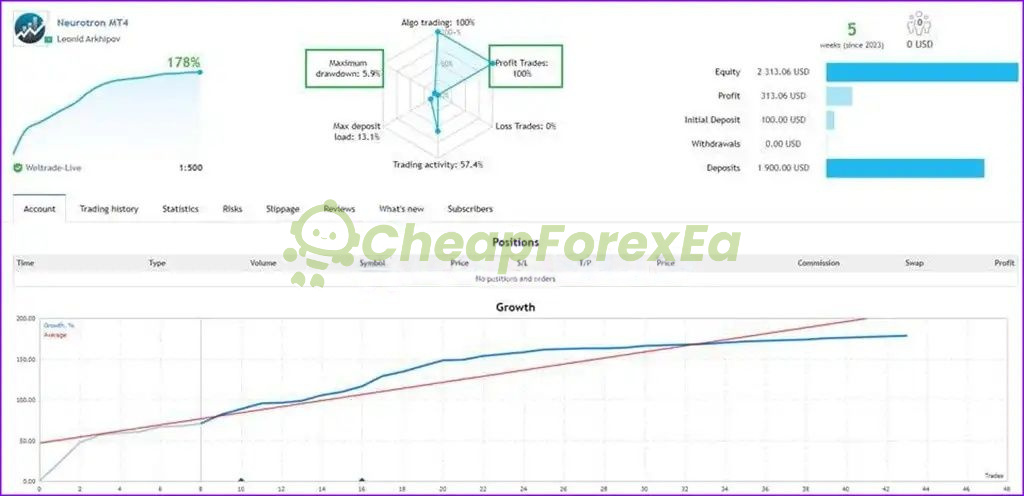
Neurotron EA is an MT4 Expert Advisor built around London session reversal entries on GBPUSD and EURCHF using Bollinger Bands and CCI signals on the M15 timeframe. A Myfxbook live account attributed to developer Leonid Arkhipov shows 178% ROI with 5.9% maximum drawdown over approximately 44 days. A separate GBPUSD backtest covering January 2022 to April 2023 recorded 30.07% maximum drawdown using AutoRisk 20 on a $1,000 starting balance.
Key Highlights
- ✅ MT4 only — M15 timeframe, GBPUSD and EURCHF
- ✅ London session reversal entries using Bollinger Bands (period 13) and CCI confirmation
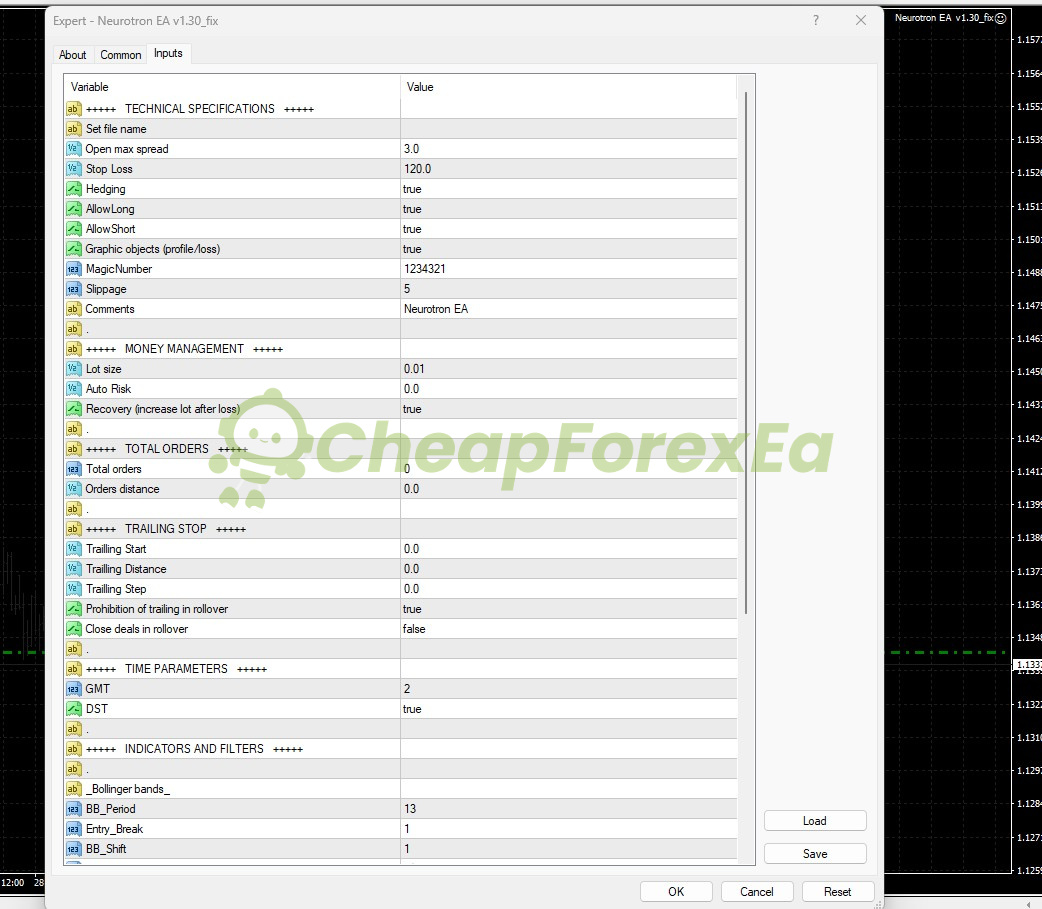
- ✅ Hard-coded spread filter at 3.0 points — EA skips entry if spread exceeds this limit
- ✅ Recovery mode enabled by default — lot size increases after a losing trade; understand this behavior before live use
- ✅ Presets included for GMT+0, GMT+1, GMT+2, and GMT+3 broker server offsets
Performance Results
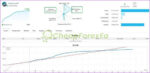
The strongest available proof is a Myfxbook live account attributed to developer Leonid Arkhipov, showing 178% ROI, 5.9% maximum drawdown, 100% profitable trades, and $2,113 current equity from a $100 starting deposit plus $1,900 in subsequent deposits. The tracked window is approximately 44 days — a real live result, but too short to represent a full market cycle.
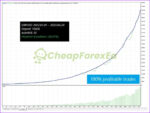
A GBPUSD backtest covering January 2022 to April 2023 using AutoRisk 20 on a $1,000 balance recorded 30.07% maximum drawdown with an exponentially rising equity curve in the latter half of the period. At that drawdown level, a $1,000 account could drop $300 before recovering. Backtest conditions do not replicate live spread variation, slippage, or execution gaps.
Recovery mode is active by default. Under adverse conditions, lot escalation after a losing trade can compound drawdown faster than fixed-lot operation. Start with conservative lot sizing, verify your broker’s spread stays inside 3.0 points on GBPUSD and EURCHF, and run a minimum 60-day demo before committing live capital.
The Myfxbook data reflects a live account over a short period. The backtest reflects modeled conditions and may differ from live trading due to spread, slippage, and execution. Public live verification covering a full multi-month period is not yet available. We recommend demo validation before live use.
How It Works
Strategy: London session reversal targeting GBPUSD and EURCHF on M15. The EA identifies price extremes at the London open using Bollinger Bands (period 13) and CCI, then enters mean-reversion trades. Up to 7 trades can open per signal cycle, each carrying its own stop loss.
Entry: Bollinger Band break with CCI confirmation at the London session open. Entry fires when price moves beyond the band boundary and CCI alignment matches the reversal signal. Maximum spread at entry is hard-capped at 3.0 points.
Exit: Individual stop loss of 120 pips per trade. Trailing stop is disabled by default (start, distance, and step all set to 0). Trades are not forcibly closed at rollover unless the setting is changed.
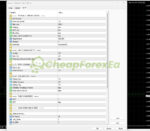
Risk Control: Default lot size 0.01 with AutoRisk at 0.0 (fixed lot mode). Recovery mode is enabled by default — the EA increases lot size after a losing trade in a martingale-style sequence. Hedging is enabled. Total orders and orders distance are both set to 0 in the default configuration. Test grid and recovery escalation behavior thoroughly in demo before adjusting these settings on a live account.
✅ Best conditions: Low-spread ECN or RAW account • GBPUSD and EURCHF spread consistently under 3.0 points • GMT offset correctly matched to your broker’s server time.
⚠️ Caution: High-spread or standard accounts where GBPUSD spread regularly exceeds 3.0 points • Live deployment before confirming recovery mode behavior in demo.
Technical Specifications
| Specification | Detail |
|---|---|
| Platform | MT4 (.ex4, NoDLL) |
| Currency Pairs | GBPUSD, EURCHF |
| Timeframe | M15 (required) |
| Minimum Deposit | $500 for 0.01 lot at 1:500 leverage |
| Recommended Deposit | Not specified in the available materials; a larger buffer is advisable given the 30.07% backtest drawdown |
| Leverage | 1:500 documented; lower leverage increases margin requirement |
| Broker Type | ECN or RAW spread preferred; max spread 3.0 points on GBPUSD and EURCHF |
| GMT Offset | GMT+2 default; DST enabled — must match your broker’s server time |
| VPS | Recommended for stable London session execution |
Who Should Use This EA
✅ Ideal for:
- MT4 traders who want a London session strategy on GBPUSD or EURCHF with access to a low-spread ECN account
- Traders comfortable running a 60-day or longer demo to validate recovery mode behavior before going live
- Accounts funded at $500 or above at 1:500 leverage, using conservative lot sizing during initial deployment
✅ Best results when:
- Broker spread on GBPUSD and EURCHF stays consistently below 3.0 points during the London open
- GMT offset is correctly configured to match broker server time using the included set files
⚠️ Not ideal for: traders who need a passive set-and-forget setup without monitoring recovery mode escalation during drawdown periods.
Browse more MT4 Expert Advisors or explore our full Forex EA catalog.
Download Package Included
- ✅ Experts:
- Neurotron EA V1.3 (.ex4)
- ✅ Presets:
- GBPUSD gmt+3.set
- GBPUSD gmt+2.set
- GBPUSD gmt+1.set
- GBPUSD gmt+0.set
- EURCHF gmt+3.set
- EURCHF gmt+2.set
- EURCHF gmt+1.set
- EURCHF gmt+0.set
Product download link is sent immediately via email after purchase.
Does Neurotron EA have publicly accessible verified live performance results?
Does Neurotron EA use martingale or grid trading?
Which broker, spread, and GMT offset settings are required for Neurotron EA to work correctly?
Is the performance from a live account, an MQL5 signal, or a backtest?
What deposit size is realistic before using Neurotron EA on a live account?
What are the real risks of running Neurotron EA, and how should I manage them?
Does Neurotron EA work on standard broker accounts, or does it require a specific account type?
What support do I get after purchase?
You might also like:

Fly Higher EA MT4 | Unbelievable Profit
In stock

Correlation EA AI 2024 MT4 with Setfiles | Unlimited – Original
In stock

Fast Gold Scalper EA MT4 | Maximum Profit – Unlimited
In stock
Reactor Scalper EA v1.0 MT4 | Gold Trading – Unlimited
In stock
Fast Scalping EA MT4 with Setfiles (ultra low risk)
In stock
VR Smart Grid EA V18.043 MT4 with setfiles
In stock
Reviews
Clear filtersThere are no reviews yet.