

















-
 Original High-Quality Product
 -
One all-inclusive price. No hidden fees
-
Immediate download
-
Free updates for new versions
-
Unlimited Activations
-
24/7 free premium Support
-
7-day money-back guarantee


Forex Flare EA – Multi-Pair Automated Trading for MT4 and MT5
Forex Flare EA is a multi-pair automated trading EA for MT4 and MT5, trading up to 11 currency pairs using Renko chart analysis, price action, and mean reversion logic. A publicly accessible Myfxbook page named TWL ForexFlare EA shows a Real USD RoboForex account on MetaTrader 5 with a recorded gain of +100.33%, 6.90% drawdown, and a profit factor of 2.37 across 103 trades. Additional product-page materials include trade history screenshots and customer message screenshots, which should be treated as supporting context rather than publicly verified performance data.
Key Highlights
- ✅ Trades up to 11 currency pairs with individual set files per pair
- ✅ Runs on M1 and M5 timeframes using Renko chart generation by default
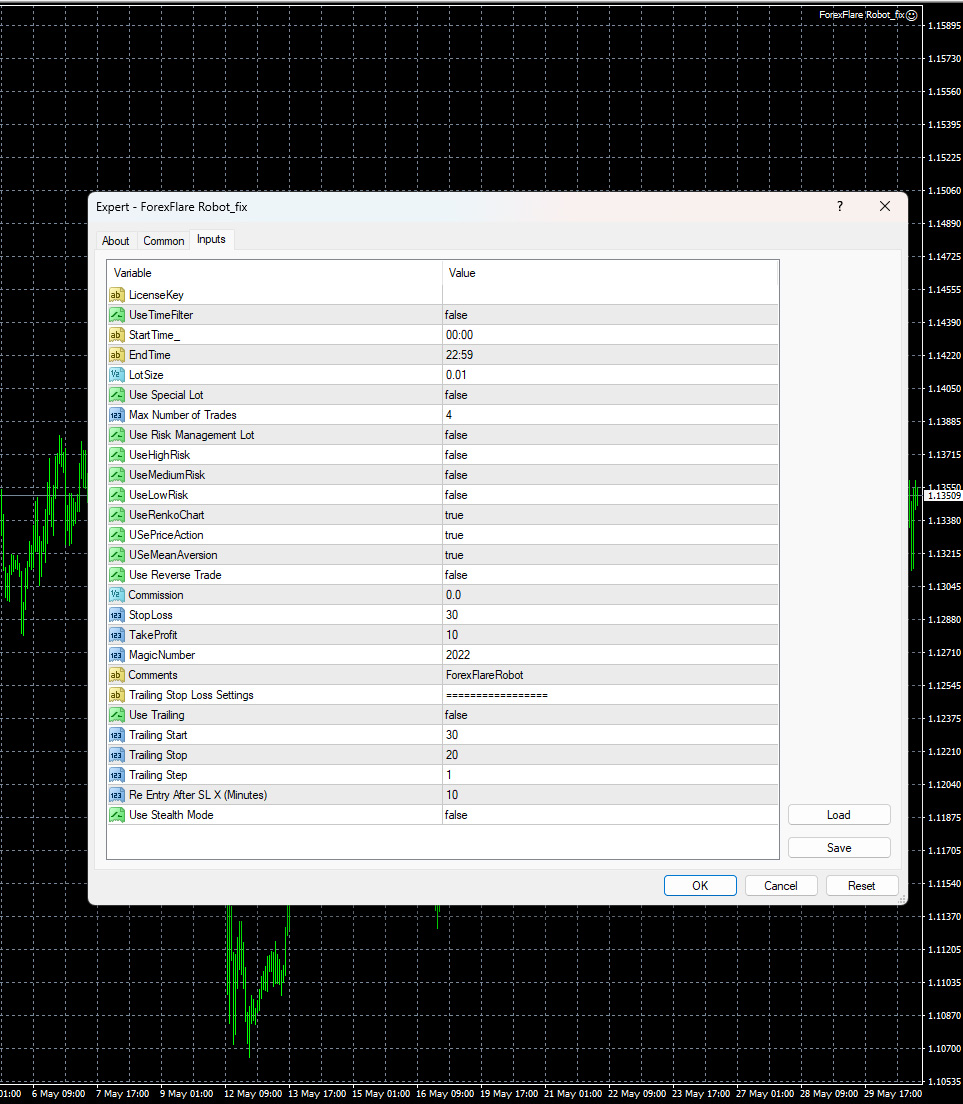
- ✅ Fixed stop loss at 30 pips, take profit at 10 pips, maximum 4 open trades at any time
- ✅ Three preset risk levels included: high risk, medium risk, and low risk set files
- ✅ Compatible with both MT4 (.ex4) and MT5 (.ex5) — confirm your platform file before installing
Performance Results
The strongest accessible proof for Forex Flare EA is a public Myfxbook page named TWL ForexFlare EA, showing a Real USD RoboForex account on MetaTrader 5 with a recorded gain of +100.33%, maximum drawdown of 6.90%, profit factor of 2.37, and 103 total trades. This page is not confirmed as the official Forex Flare EA vendor account, the account balance displays as $0.00, and portions of the account data remain private. Treat these figures as a useful reference point, not a vendor-verified performance statement.
View the TWL ForexFlare EA Myfxbook page
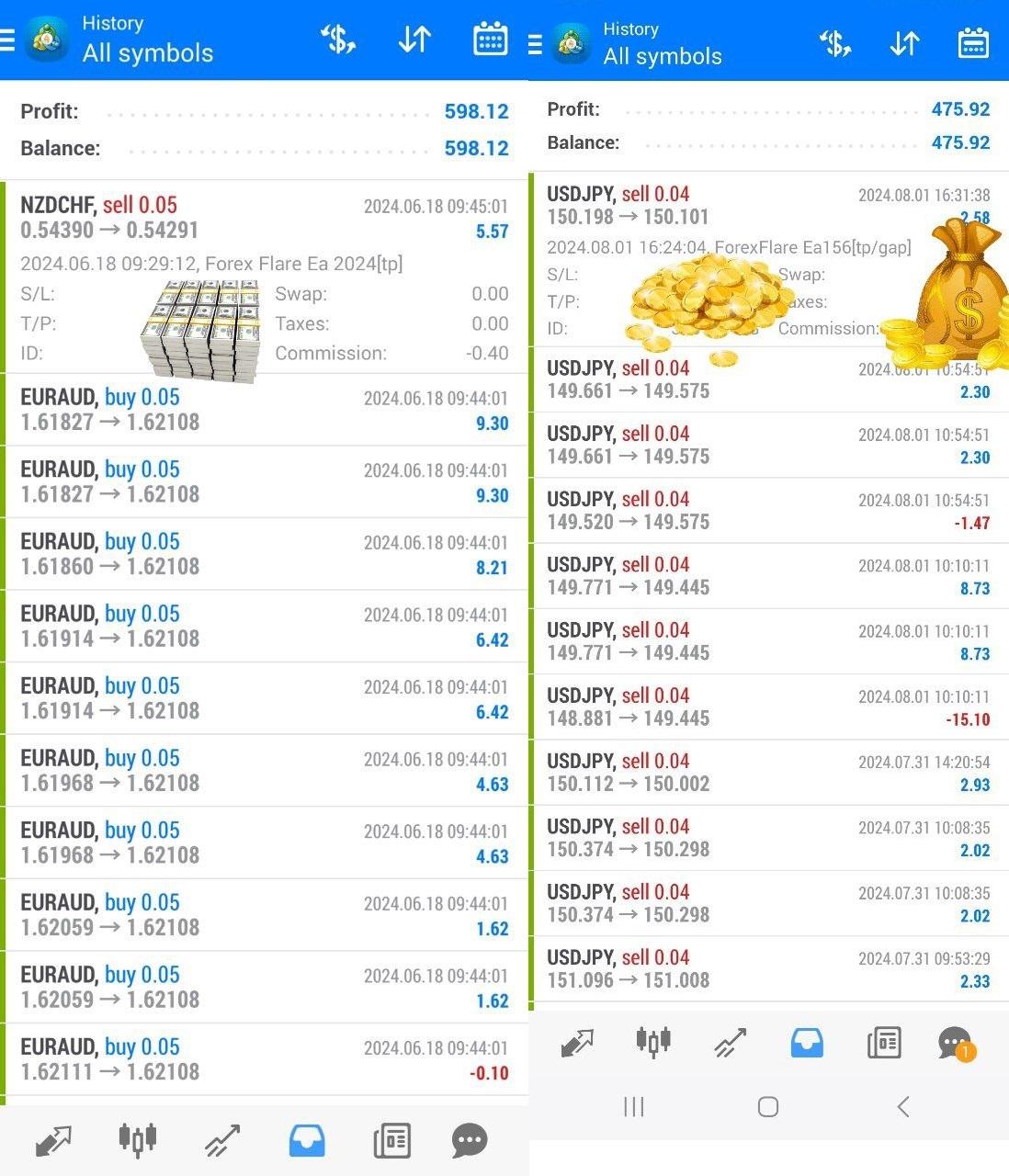
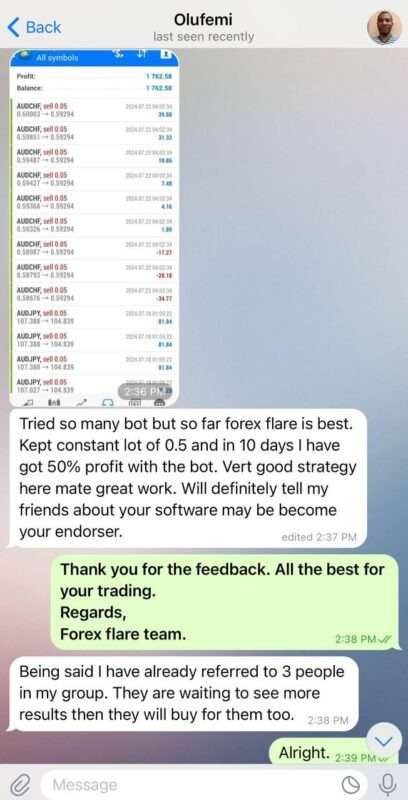
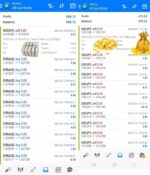
Product-page materials include trade history screenshots covering EURAUD, NZDJPY, and USDJPY across June–August 2024, showing small-lot trades at 0.04–0.05 lots with mixed individual results. Customer message screenshots reference a 50% gain in 10 days and an 85% return in 45 days; neither figure comes with a complete broker statement or independently verifiable account data.
The 6.90% drawdown figure on the Myfxbook page is relatively contained if accurate. However, the EA uses a 30-pip stop loss against a 10-pip take profit, a structure that requires a consistently high win rate to remain net positive. To manage exposure: start with the low risk preset at 0.01 lots on a demo account, select a broker with spreads below 1.5 pips, and monitor position-building behavior across the 4-trade maximum during volatile sessions.
Public live verification directly linked to the original vendor is not included on this page at this time. The proof shown here should be treated as screenshot and product-page evidence, not public live verification. We recommend demo validation before live use.
How It Works
Strategy: Multi-pair mean reversion EA trading up to 11 currency pairs on M1 and M5 timeframes. Renko chart generation identifies short-term price overextension; price action signals confirm entry opportunities against recent price movement.
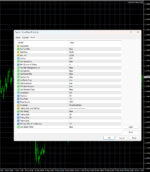
Entry: Entry triggers combine UseRenkoChart, UsePriceAction, and UseMeanReversion — all enabled by default. Re-entry after a stop loss is set to 10 minutes by default.
Exit: Primary exit is a fixed 10-pip take profit. A 30-pip stop loss closes losing trades. Trailing stop is available but disabled by default (Trailing_Start: 30, Trailing_Stop: 20, Trailing_Step: 1).
Risk Control: Fixed lot size default is 0.01. Maximum open trades capped at 4. Three preset risk levels are included. UseRiskManagementLot and UseSpecialLot are both disabled by default — activate only after demo validation. Grid and martingale behavior is not officially confirmed; monitor position-building behavior during demo testing.
✅ Best conditions: Low-spread ECN/STP broker below 1.5 pips • Stable VPS connection for Renko chart feed integrity • Each pair matched to its dedicated set file.
⚠️ Caution: High-spread brokers may erode the 10-pip take profit before it fills. News events during active sessions can trigger multiple stop losses against the 4-trade cap.
Technical Specifications
| Specification | Detail |
|---|---|
| Platform | MT4 (.ex4) and MT5 (.ex5) — confirm your platform file before installing |
| Currency Pairs | USDCHF, USDCAD, GBPUSD, GBPCAD, EURUSD, EURCHF, AUDJPY, GBPCHF, EURAUD, NZDCHF, USDJPY — individual set files included per pair |
| Timeframe | M1 and M5; Renko chart generation enabled by default |
| Minimum Deposit | $100 — use low risk preset and 0.01 lot size at this level |
| Recommended Deposit | $500–$1,000 for comfortable margin buffer across up to 4 simultaneous trades |
| Leverage | Not specified in the available materials; 1:100 minimum advisable given multi-pair structure |
| Broker Type | ECN/STP with spreads below 1.5 pips; Exness and IC Markets referenced as compatible options |
| VPS | Recommended — stable connection required for Renko chart feed integrity |
| GMT Offset / Time Filter | Time filter disabled by default (00:00–22:59); configure if broker server GMT differs from preferred session hours |
Who Should Use This EA
✅ Ideal for:
- Traders with prior EA experience who are comfortable configuring individual set files per currency pair
- Accounts starting at $500 or above where the 4-trade maximum and 30-pip stop loss do not represent outsized exposure per position
- Traders running a low-spread ECN/STP broker on a VPS and willing to demo test for at least one month before committing live capital
✅ Best results when:
- Each pair runs on its matched set file rather than default settings applied across all pairs simultaneously
- Broker spread stays consistently below 1.5 pips, protecting the 10-pip take profit from being consumed by execution costs
This EA is not ideal for traders who require a fully documented, vendor-confirmed live track record before purchase. Public proof is accessible but not officially linked to the original vendor.
Browse more automated Forex EA products, or explore options by platform: MT4 EAs and MT5 EAs.
Download Package Included
- ✅ Experts:
- MT4: ForexFlare Robot_fix.ex4
- MT5: ForexFlare EA_fix.ex5
- ✅ Presets:
- MT4:
- FlareSetUsd.set
- MT5:
- gbpchf.set
- eurusd.set
- eurnzd.set
- usdchf.set
- gbpusd.set
- eurjpy.set
- cadjpy.set
- gbpjpy.set
- usdjpy.set
- high risk.set
- low risk.set
- midium risk.set
Product download link is sent immediately via email after purchase.
Frequently Asked Questions
What verified performance results exist for Forex Flare EA?
Is the accessible Myfxbook page the official Forex Flare EA vendor account?
Does Forex Flare EA use grid or martingale logic?
Is Forex Flare EA for MT4, MT5, or both?
How much capital do I need to run Forex Flare EA?
What are the main risks and how should I manage them?
Which broker and spread conditions work best for this EA?
What support do I get after purchase?

You might also like:

CoreX G EA v1.5 MT4 with Setfiles
In stock

Correlation EA AI 2024 MT4 with Setfiles | Unlimited – Original
In stock

Golden Owl EA v9 MT4 with SetFiles | High Profit for Gold
In stock
VR Smart Grid EA V18.043 MT4 with setfiles
In stock

Javier Trading Scalper Gold EA MT4 & MT5 with Setfiles (Original working version)
In stock

Panda Hedging EA MT4 v1.85 with Setfiles
In stock
Reviews
Clear filtersThere are no reviews yet.