













-
 Original High-Quality Product
 -
One all-inclusive price. No hidden fees
-
Immediate download
-
Free updates for new versions
-
Unlimited Activations
-
24/7 free premium Support
-
7-day money-back guarantee


ValiDate EA MT4 – Automated Dual-Engine Grid Recovery for XAUUSD
ValiDate EA MT4 is an automated Expert Advisor for MetaTrader 4, built primarily for XAUUSD gold trading using a dual-engine grid recovery approach with independent buy and sell sequences. The available product materials include trading statement screenshots from December 2024 and January 2025 showing live session activity on XAUUSD and US30.cash. Public Myfxbook, FXBlue, or MQL5 Signal verification is not included on this page at this time.
The package ships with two named preset files and a documented parameter set, giving you a concrete starting point for demo configuration before any live deployment.
Key Highlights
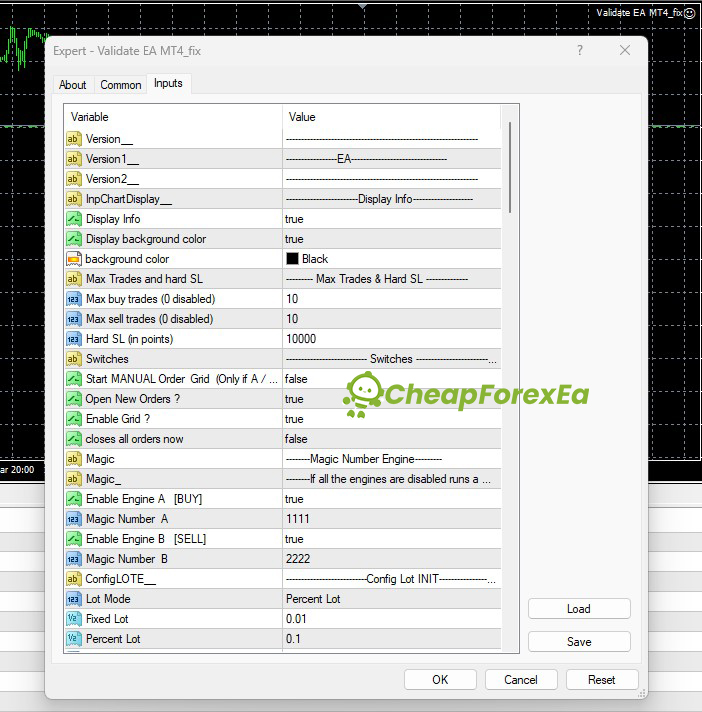
- ✅ Dual-engine grid: independent buy (Magic 1111) and sell (Magic 2222) engines run simultaneously on XAUUSD
- ✅ Hard stop loss at 10,000 points with a maximum of 10 trades per direction — outer grid limits built into the configuration
- ✅ Runs on MetaTrader 4; primary market is XAUUSD with US30.cash referenced in some configurations
- ✅ Two named preset files included: Asia London NEW.set and 10k Profit per day $50.set
- ✅ Percent Lot mode at 0.1% of account balance; fixed 0.01 lot alternative available for micro-account testing
Performance Results
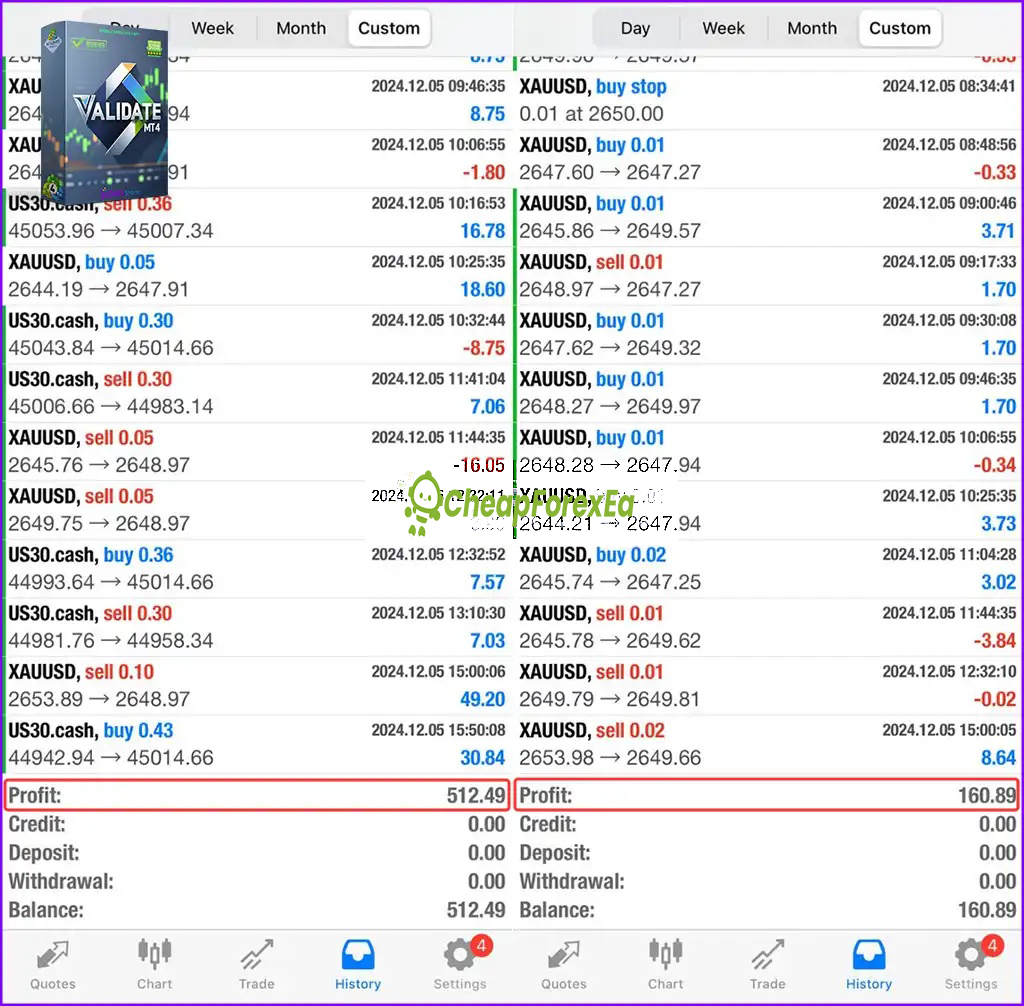
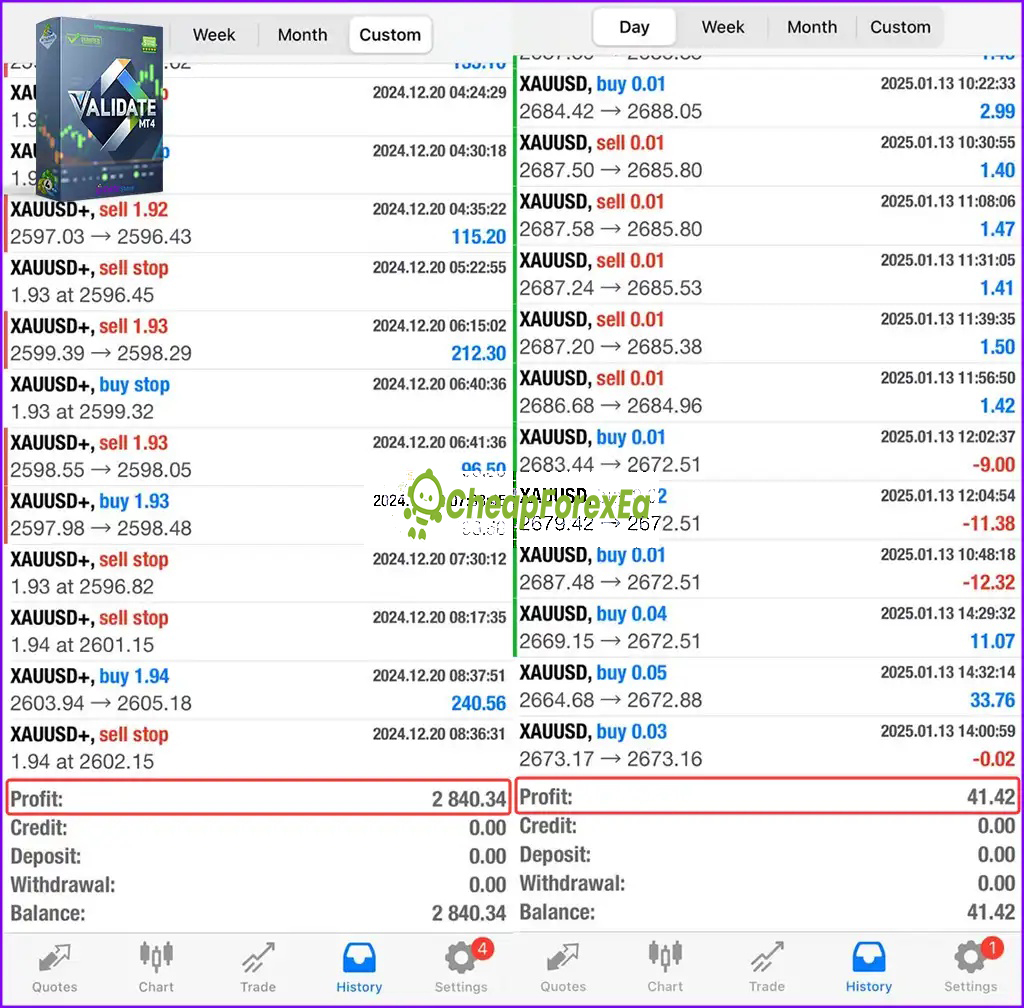
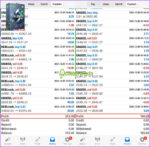
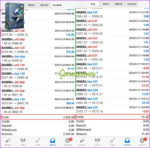
The available product materials include trading statement screenshots from three separate sessions. The December 5, 2024 statement shows $512.49 profit on XAUUSD and US30.cash. The December 20, 2024 statement shows $2,840.34 profit on XAUUSD with position sizes reaching 1.92–1.94 lots. A January 13, 2025 statement shows smaller-scale activity at 0.01–0.05 lot sizes with a session result of $41.42. These screenshots illustrate the EA operating across different account sizes and lot scales.
Starting account balances, drawdown figures, and equity curves are not visible in the available materials. Risk-adjusted performance cannot be calculated from these statements alone. The proof shown here should be treated as screenshot evidence, not public live verification. We recommend demo validation before live use.
The grid recovery model confirmed in the EA parameters carries real compounding risk. When price moves against the grid, the EA opens additional positions, increasing total exposure before a recovery close. The hard stop loss at 10,000 points and the 10-trade-per-direction maximum define the outer boundary of that exposure, but they do not prevent significant drawdown within those limits. Use a capital base that can sustain the full grid build-out, trade at conservative lot sizes relative to account balance, test across multiple market sessions in demo, and verify spread and execution quality with your broker before committing live capital. Drawdown data from live operation is not available in the current page materials, so the worst-case scenario under adverse gold conditions is not quantifiable from what is shown here.
How It Works
Strategy: Grid-based recovery EA trading XAUUSD on MT4. Two independent engines — one for buy positions, one for sell — allow simultaneous long and short grid sequences. The EA builds into a position when price moves against the initial entry, then closes the basket at a defined profit target.
Entry: Buy engine (Magic 1111) and sell engine (Magic 2222) open initial positions independently. Grid continuation triggers on adverse price movement. Specific entry indicators are not clearly specified in the available setup data — validate entry behavior in demo across London and New York sessions before live use.
Exit: Floating profit close parameter set at 50.0 and daily profit target at 500.0 in the documented configuration. Individual trade trailing stop of 20 pips with a 20-pip step and break-even trigger at 15 pips are referenced in available materials — confirm these values against your specific preset file.
Risk Control: Percent Lot mode at 0.1% of account balance for initial lot sizing. Hard stop loss at 10,000 points per position. Maximum 10 buy trades and 10 sell trades active simultaneously. Fixed lot alternative available at 0.01 for micro-account testing.
✅ Best conditions: Active XAUUSD liquidity sessions (London/New York overlap) • Low spread on gold, ideally under 20 points • Stable VPS execution with no trade interruptions
⚠️ Caution: High-spread conditions during news events on gold • Broker requoting or execution delays on XAUUSD • Running without confirmed demo validation of grid depth and drawdown behavior
Technical Specifications
| Specification | Detail |
|---|---|
| Platform | MetaTrader 4 (MT4) |
| Currency Pair | XAUUSD (primary); US30.cash referenced in some configurations |
| Timeframe | M5 (most consistently documented); H1/H4 referenced in some configurations — confirm with your preset file |
| Minimum Deposit | $500–$1,000 stated across available materials; a larger buffer is strongly recommended given the grid model |
| Leverage | Not specified in the available materials |
| Broker Type | ECN/STP with tight spreads on XAUUSD; test broker execution in demo before live use |
| VPS | Required for reliable operation |
| Expert File | Validate EA MT4_fix.ex4 |
| Strategy Type | Dual-engine grid recovery |
Who Should Use This EA
✅ Ideal for:
- MT4 traders with prior grid EA experience who understand compounding exposure risk and can size positions accordingly
- Gold traders who want an automated dual-engine system with defined hard stop and trade-count limits built into the configuration
- Traders prepared to run 60–90 days of demo validation before committing live capital
✅ Best results when:
- Trading on a low-spread XAUUSD broker during active London and New York sessions with stable VPS execution
- Using conservative percent lot settings relative to account balance, keeping the full potential grid build-out well within available margin
⚠️ Not ideal for: Traders new to grid EAs, those with small accounts unwilling to absorb multi-position drawdown, or anyone requiring publicly verified live results before purchase.
Download Package Included
- ✅ Experts:
- ValiDate EA(.ex4)
- ✅ Presets:
- 10k Profit per day $50.set
- Asia London NEW.set
Product download link is sent immediately via email after purchase.
Does ValiDate EA have a publicly verified live trading account on Myfxbook, FXBlue, or MQL5 Signals?
Does ValiDate EA use grid trading or martingale?
What is the correct timeframe and symbol setup for ValiDate EA?
What do the two preset files configure, and which one should I use first?
How much capital do I actually need to run ValiDate EA?
What are the real risks of running ValiDate EA, and how should I manage them?
Which brokers work best with ValiDate EA?
What support do I get after purchase?

You might also like:

Jog Trader EA V12 MT4 + Setfiles | Original & Unlimited
In stock

Fast Gold Scalper EA MT4 | Maximum Profit – Unlimited
In stock

Z4scalp EA v2.2 MT4 with Setfiles | Working Version
In stock

Gold Trading AI EA v1.4 MT4 with Setfiles
In stock

Apex EA v2.0 MT4 with Setfiles
In stock

Instant Funding AI EA MT4 with Setfiles (Original Version)
In stock
Reviews
Clear filtersThere are no reviews yet.