













-
 Original High-Quality Product
 -
One all-inclusive price. No hidden fees
-
Immediate download
-
Free updates for new versions
-
Unlimited Activations
-
24/7 free premium Support
-
7-day money-back guarantee


Waka Waka EA – Grid Trading on AUDCAD, AUDNZD, and NZDCAD for MT4 and MT5
Waka Waka EA is a grid-based Expert Advisor for MetaTrader 4 and MetaTrader 5, trading AUDCAD, AUDNZD, and NZDCAD on the M15 timeframe using Bollinger Bands and RSI filters to time grid entries. A publicly accessible Myfxbook account shows a real USD account on ICE-FX with a recorded gain of +12,543.71%, a profit factor of 1.71 across 5,329 trades, and a maximum drawdown of 66.54%. The EA is developed by Valeriia Mishchenko under the ValeryTrading brand, with separate MT4 and MT5 versions listed on MQL5 since August 2021 and last updated February 2026.
- Vendor website: Click here
Key Highlights
- ✅ Publicly accessible Myfxbook account and MQL5 Signal (ID 995287) active since May 2021
- ✅ Trades AUDCAD, AUDNZD, and NZDCAD on M15 using Bollinger Bands and RSI entry filters
- ✅ Per-pair backtests at 99.90% modeling quality covering 2006–2023
- ✅ Four predefined risk presets with configurable drawdown close, spread limit, and lot sizing
- ✅ MT5 version available — hedging account required; MT4 version runs on standard accounts
Performance Results
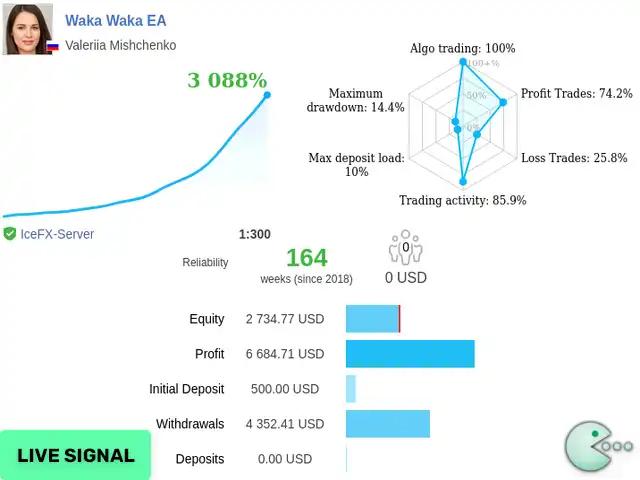
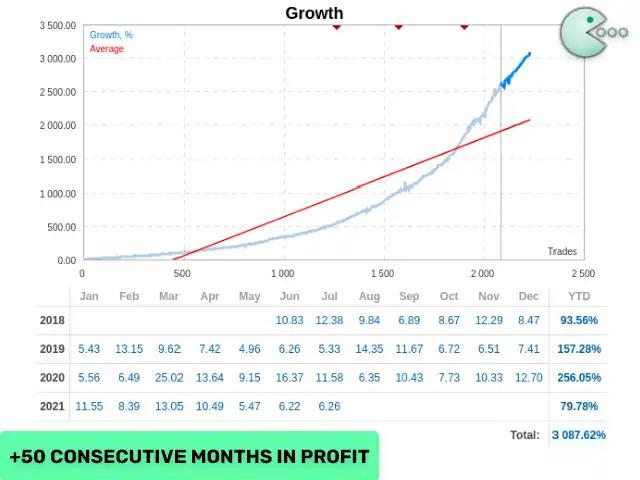
The primary proof source is a publicly accessible Myfxbook account (MischenkoValeria / Waka Waka) on a real USD account at ICE-FX, running MetaTrader 4 at 1:300 leverage. The account has recorded +12,543.71% gain, a profit factor of 1.71, and 5,329 completed trades. A parallel MQL5 Signal (ID 995287), started May 2021, confirms the same trade count and active status — though the signal page displays an equity drawdown of 72.42% and carries an explicit MQL5 warning that a large drawdown may occur again.
View the Waka Waka Myfxbook verified account
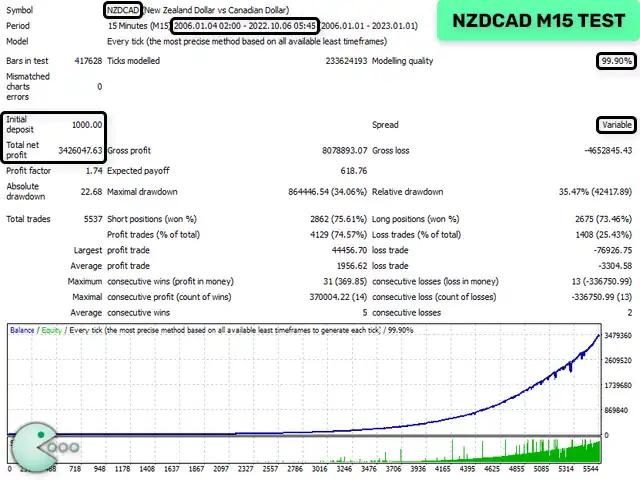
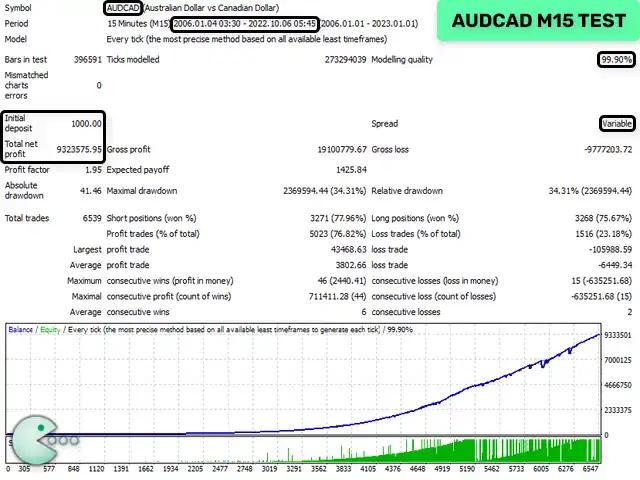
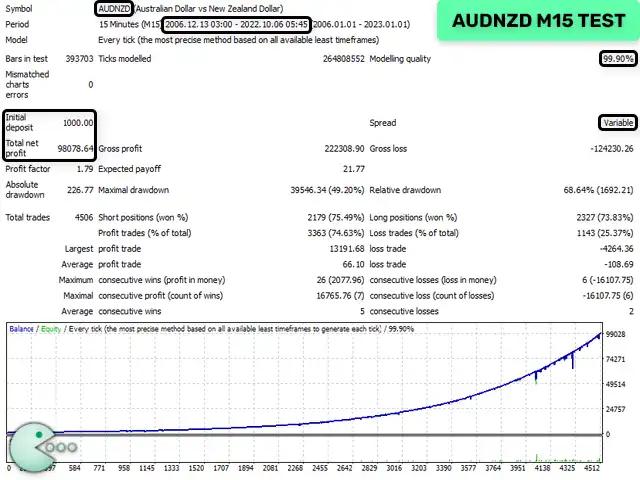
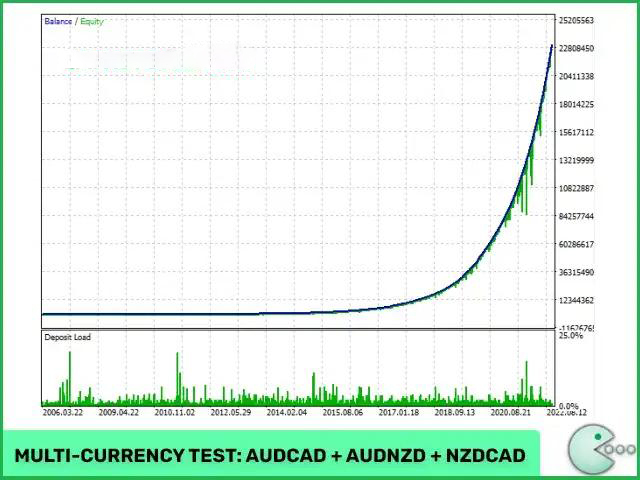
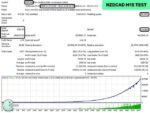
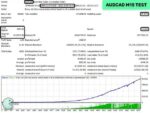
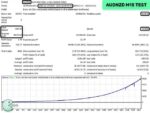
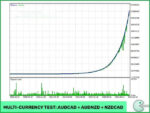
Three per-pair backtests at 99.90% modeling quality (every tick, 2006–2023) provide additional directional support. NZDCAD recorded a relative drawdown of 35.47% and a profit factor of 1.74 over 5,537 trades. AUDCAD recorded a relative drawdown of 34.31% and a profit factor of 1.95 over 6,539 trades. AUDNZD recorded the worst relative drawdown at 68.64% and a profit factor of 1.79 over 4,506 trades. These backtests used variable spread conditions and align directionally with the live Myfxbook data.
The live drawdown on Myfxbook is 66.54%. The MQL5 Signal equity drawdown has reached 72.42%. These figures are not edge cases — they are a structural feature of grid averaging under adverse price extension. On a live account, floating losses can consume the majority of account equity before the grid closes profitably or the drawdown close setting triggers. Set your Maximum Drawdown Percent parameter before going live, size lots conservatively relative to your balance, use a low-spread ECN broker, and monitor open grid exposure regularly. Vendor guidance indicates that accounts below $6,000 at 1:30 leverage should stay at low risk settings, and that $1,000 at 1:100 leverage may handle up to the significant risk preset — treat these as upper bounds, not targets.
The proof shown here should be treated as live account and backtest evidence under specific broker and leverage conditions. Past performance does not guarantee future results. We recommend demo validation before live use.
How It Works
Strategy: Grid averaging system trading AUDCAD, AUDNZD, and NZDCAD on M15. The EA exploits mean-reversion tendencies on correlated commodity currency pairs by adding grid positions as price moves against the initial trade, then closing the full basket at a collective take profit level.
Entry: Initial trade triggered when price reaches Bollinger Bands levels with RSI confirmation below the Maximum RSI Value threshold. The Smart Distance option adjusts grid step size automatically based on current volatility.
Exit: Primary exit is a collective take profit on the grid basket (TakeProfit for Grid parameter; weighted average if set to zero). Secondary exit is the Maximum Drawdown Percent close — all open positions close if floating drawdown exceeds the configured percentage.
Risk Control: Four lot-sizing methods available: Fixed Lots, Dynamic Lots, Deposit Load %, or four predefined risk presets (low risk to significant risk). Maximum Trades limits total grid depth. Maximum Lot caps position size. Maximum Spread rejects entries above the pip threshold. Grid multipliers apply separately to the 2nd trade, 3rd–5th trades, and 6th+ trades. Higher multipliers increase position size progressively as the grid deepens — this is the mechanism behind both the high compounding and the high drawdown figures documented above. Confirm multiplier behavior during demo testing before using live capital.
✅ Best conditions: Low-spread ECN broker with tight AUDCAD, AUDNZD, and NZDCAD spreads • Stable VPS with uninterrupted MetaTrader connection • Hedging account on MT5.
⚠️ Caution: High-spread brokers or frequent requotes during news events • Accounts running without a Maximum Drawdown Percent limit configured.
Technical Specifications
| Specification | Detail |
|---|---|
| Platform | MetaTrader 4 (separate .ex4 file) and MetaTrader 5 (separate .ex5 file); both at version 4.59 as of February 2026 |
| Currency Pairs | AUDCAD, AUDNZD, NZDCAD |
| Timeframe | M15 |
| Minimum Deposit | No single fixed minimum; accounts below $6,000 at 1:30 leverage should use low risk settings; $1,000 at 1:100 leverage may support up to the significant risk preset |
| Leverage | 1:30 minimum for low risk settings; 1:100 referenced for significant risk preset; 1:300 used on the live Myfxbook account |
| Broker Type | ECN/STP with low spread on AUD/NZD/CAD pairs; hedging account required for MT5 |
| VPS | Required for continuous operation |
| Licenses | 10 MetaTrader activations included per product documentation |
| Recommended Deposit | Not specified in the available materials — size deposit to match the risk preset and lot settings you intend to use |
Who Should Use This EA
✅ Ideal for:
- Experienced grid EA traders who understand floating drawdown management and have sized their account to absorb it
- Traders running dedicated MT4 or MT5 accounts on low-spread ECN brokers with VPS uptime and active monitoring habits
- Buyers who want publicly accessible Myfxbook and MQL5 Signal proof before purchasing, and who have reviewed the live drawdown figures directly
✅ Best results when:
- Account capital, lot size, and the Maximum Drawdown Percent parameter are calibrated together before the first live trade
- The EA runs on a VPS with uninterrupted broker connection across all three pairs simultaneously
- At least 30 days of demo testing on your specific broker precedes any live deployment
This EA is not suited to traders expecting consistent monthly returns without significant drawdown periods, or anyone unwilling to run extended demo testing before committing live capital. Browse other Forex EA options or explore MT5 Expert Advisors if a lower-drawdown grid-free strategy better fits your risk profile.
Download Package Included
- ✅ Experts:
- Waka Waka EA v4.43_fix_1421+.ex4 (for .EX4 option)
- Waka Waka EA.mq4 (Source code version 2.12 – For .MQ4 Source code option)
- ✅ Presets:
- settings for NZDCAD, AUDCAD, AUDNZD (M15).set
Product download link is sent immediately via email after purchase.
Does Waka Waka EA have verified live results, or only backtests and screenshots?
Does Waka Waka EA use martingale?
How should I interpret the 66%+ drawdown shown on Myfxbook?
Can I run Waka Waka EA on MT5, and does it require a hedging account?
What deposit size do I need to run Waka Waka EA?
What are the main risks, and how do I manage them?
What broker and account conditions does Waka Waka EA require?
What support do I get after purchase?

You might also like:

Jog Trader EA V12 MT4 + Setfiles | Original & Unlimited
In stock

Z4scalp EA v2.2 MT4 with Setfiles | Working Version
In stock

Apex EA v2.0 MT4 with Setfiles
In stock
VR Smart Grid EA V18.043 MT4 with setfiles
In stock

Javier Trading Scalper Gold EA MT4 & MT5 with Setfiles (Original working version)
In stock

Panda Hedging EA MT4 v1.85 with Setfiles
In stock
Reviews
Clear filtersThere are no reviews yet.